The global wireless keyboard and mouse market is witnessing steady expansion, valued at 5.37 billion by 2032 with a CAGR of 3.4%. This growth is fueled by the enduring shift to remote and hybrid work models, as professionals seek clutter-free, portable peripherals that balance comfort and productivity. In 2026, wireless mice dominate the market with a 62% share, while key players including Logitech, Microsoft, Keychron, and Trueque capture over 65% of global revenue. Mechanical keyboards and ergonomic designs are emerging as top trends, with 40% of remote workers prioritizing comfort over price—critical for those logging 8+ hours of daily typing and cursor use.
2026 marks a pivotal year for wireless input device innovation: Bluetooth 5.4 connectivity delivers lag-free performance for video calls and real-time work, rechargeable batteries offer multi-month usage (eliminating frequent battery swaps), and compact mechanical keyboards bridge portability and tactile feedback—once a tradeoff for remote users. Users face distinct tradeoffs: frequent travelers prioritize ultra-lightweight designs that fit in laptop sleeves, while long-hour typists demand ergonomic support to avoid fatigue. Below, we break down core technologies, top 2026 models, and tailored guidance to help you find the perfect wireless keyboard and mouse for your remote work lifestyle.
I. Core Technology: Key Innovations & 2026 Breakthroughs ⚙️
Wireless keyboards and mice redefine remote productivity by combining seamless connectivity with user-centric design, anchored by five defining technologies—connectivity protocols, key/sensor mechanics, ergonomic engineering, power solutions, and smart features. Here’s how 2026’s offerings elevate these essentials:
1. Connectivity Protocols: Lag-Free & Versatile 🔗
| Protocol | Bluetooth 5.4 | 2.4GHz Wireless (USB Dongle) | Dual-Mode (Bluetooth + 2.4GHz) |
| Key Traits | Low energy consumption, 30m range, multi-device pairing (up to 5 devices) | 10m range, 1ms latency, plug-and-play setup | Hybrid flexibility, automatic switching between devices |
| Examples | Logitech MX Keys S, Protoarc KM100 | Omoton 2.4G Keyboard, Tecknet Combo | Keychron Q5 Max, Trueque KM42 Pro |
| Best For | Multi-device users (laptop + tablet + phone) – e.g., managers juggling work devices | Gamers, office workers prioritizing stability for typing/editing | Remote professionals needing seamless transitions (e.g., switching from laptop to tablet mid-task) |
| Pros | No USB port required (saves space on slim laptops), energy-efficient (extends battery life) | Zero lag (critical for real-time work), reliable connection in crowded Wi-Fi environments | Balances convenience (Bluetooth) and performance (2.4GHz) for mixed-use scenarios |
| Cons | Potential interference in dense office/cafe settings | Occupies USB port (a downside for laptops with limited ports), shorter range vs. Bluetooth | Slightly higher price point than single-protocol models |
2. Key & Sensor Mechanics: Performance & Precision ⌨️🖱️
- Keyboard Key Technologies:
- Mechanical Switches: Tactile feedback (Cherry MX, Gateron), 50M+ keystroke lifespan, customizable actuation force (45-60g). Ideal for programmers, writers, and anyone who values typing feel over silence.
- Scissor-Switch: Low profile, quiet operation, 1.5-2mm key travel (Logitech K585 Slim). Perfect for compact designs and shared workspaces (e.g., co-living spaces, family homes).
- Membrane: Budget-friendly, silent, soft keystrokes (Harburfine Wireless Silent Keyboard). Suits casual users or those on a tight budget (students, part-time remote workers).
- Mouse Sensor Technologies:
- Optical Sensors: 16,000+ DPI, accurate on most surfaces (desks, notebooks, even soft fabrics) – Logitech MX Master 2S is a standout for everyday use.
- Laser Sensors: Works on glass/reflective surfaces, higher precision for designers editing detailed graphics or video.
- Trackballs: Ergonomic alternative (Kensington Expert Mouse) that reduces wrist movement – great for users prone to strain.
- 2026 Innovations: Magnetic keycap attachment (Keychron Q5 Max) for easy cleaning/customization (no more stuck crumbs), AI-powered adaptive DPI (gaming mice) that adjusts cursor speed based on your workflow (e.g., faster for scrolling, slower for editing).
3. Ergonomic Design: Comfort for Long Hours 🪑
- Keyboard Ergonomics:
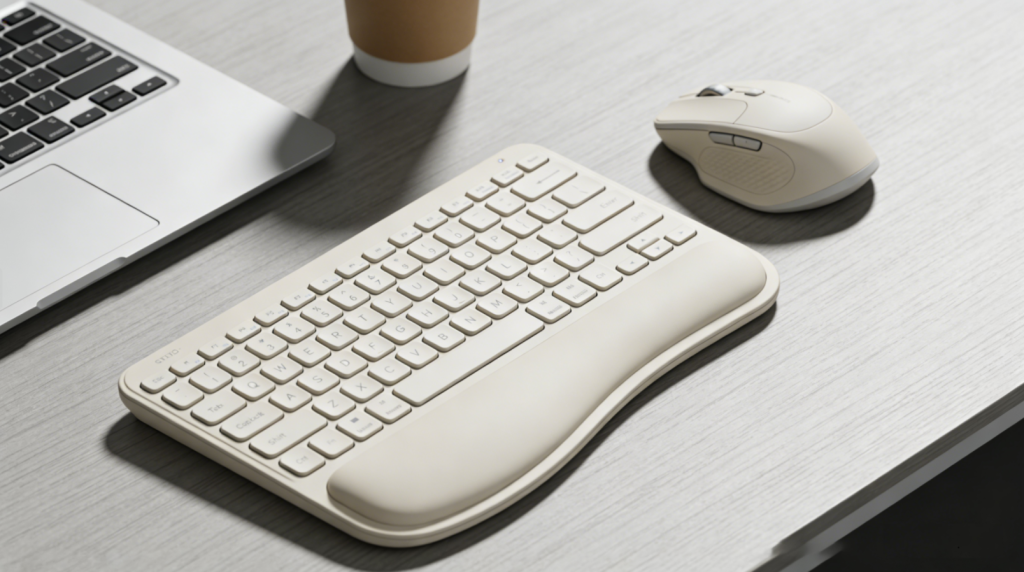
- Wrist Rests: Detachable magnetic wrist rests (Trueque CK24) and 3-7° tilt angles reduce pressure on wrists during extended typing sessions.
- Split Layouts: Separated key clusters (Microsoft Sculpt Ergonomic) align with natural hand position – ideal for users with wrist pain or RSI risk.
- Compact Sizes: 75-96% layouts (Keychron V5 Max) save desk space (critical for small home offices/cafe tables) without sacrificing essential keys (arrow keys, function row).
- Mouse Ergonomics:
- Contoured Grips: Thumb rests and curved bodies (Logitech MX Master 2S) support both palm and fingertip grips – comfortable for all-day use.
- Vertical Designs: Reduces forearm rotation (Anker Vertical Ergonomic Mouse) to prevent repetitive strain injuries (RSI) – a must for designers or programmers working 10+ hours.
- Weight Adjustment: Removable weights (gaming models) let you customize feel – lighter for travel, heavier for precise editing.
- Certifications: TÜV Rheinland ergonomic certification ensures compliance with health standards, so you can trust the design prioritizes long-term comfort.
4. Power Solutions: Long-Lasting & Convenient ⚡
- Battery Technologies:
- Rechargeable Li-Po Batteries: 300-500mAh capacity delivers 1-6 months of use (Logitech MX Keys S: 3 months on a single charge) – no more buying disposable batteries.
- Replaceable AA/AAA: 6-12 months lifespan (Omoton 2.4G: 6 months with 2 AAA batteries) – ideal for travelers who don’t want to carry chargers.
- Charging Features:
- USB-C Fast Charging: 15-minute charge = 3 days of use (Keychron Q5 Max) – perfect for last-minute trips or forgotten chargers.
- Auto-Sleep Mode: Powers down after 5-10 minutes of inactivity to conserve battery (Trueque CK24) – no need to manually turn off devices.
- Wireless Charging: Qi-compatible pads (premium models) eliminate cable clutter – great for minimalist home offices.
5. Smart Features: Beyond Basic Input 🧠
- Customization:
- Programmable Keys: 4-12 assignable buttons (Logitech MX Master 2S) for macros and shortcuts (e.g., one-click Zoom mute, copy/paste across devices) – saves time for repetitive tasks.
- Software Integration: Logi Options+, Keychron Configurator enable key remapping and RGB control – lets you tailor the device to your workflow (e.g., reassign media keys for design software).
- Enhanced Functionality:
- Backlighting: RGB (Trueque KM42 Pro) or white LED (Protoarc KM100) with adjustable brightness for low-light environments (night owls, dim cafes).
- Cross-Device Sync: Clipboard sharing (Logitech Flow) and 1-touch device switching between Windows/Mac/iOS/Android – seamless for users working across multiple gadgets.
- Quiet Operation: Silent switches (Harburfine Keyboard) and rubberized mouse clicks for shared workspaces (e.g., living rooms with family, co-working spaces).
II. Top 2026 Wireless Keyboards & Mice: For Every Remote Worker 🏆
A. Best for Frequent Travelers ✈️
1. Omoton 2.4G Wireless Keyboard & Mouse Combo (Best Budget) 💰
- Specs: Keyboard (260g, 6mm thick), mouse (85g), 2.4GHz connectivity, 33ft range, 6-month battery life.
- Key Features: Scissor-switch keys (quiet typing), auto-sleep mode, non-slip feet, compatible with Windows/macOS/Chrome OS.
- Price: $39.99.
- Pros: Ultra-lightweight (total 345g – fits in laptop sleeves/purses), plug-and-play setup (no software needed), affordable (fits digital nomad budgets).
- Cons: No backlight (not ideal for dark planes/cafes), basic ergonomics (no wrist rest – pair with a portable pad for long sessions).
- Best For: Digital nomads, frequent commuters, and budget-conscious travelers who need a compact, reliable setup for on-the-go work.
2. Keychron K3 Max (Best Compact Mechanical) ⌨️
- Specs: 75% layout (340g, 11mm thick), Bluetooth 5.4/2.4GHz dual-mode, Gateron Low-Profile switches, 2000mAh battery (4 months of use).
- Key Features: Hot-swappable switches (customize typing feel), RGB backlighting (adjustable brightness), multi-device pairing (3 devices), macOS/Windows compatibility.
- Price: $129.99.
- Pros: Tactile mechanical feel in a slim design (no bulk in backpacks), durable aluminum frame (survives travel wear), long battery life (no frequent charging).
- Cons: No numpad (not ideal for spreadsheet-heavy work), higher price than membrane alternatives – but worth it for typing comfort.
- Best For: Traveling professionals (writers, programmers, consultants) who prioritize typing feel and portability without sacrificing performance.
B. Best for Home Office Professionals 💼
1. Logitech MX Keys S + MX Master 2S Combo (Best Premium) 🌟
- Specs: Keyboard (810g, 13mm thick), mouse (145g), Bluetooth 5.4/Logi Bolt, backlit keys (auto-adjusts to ambient light), 16,000 DPI sensor.
- Key Features: Logi Flow (cross-device sync – copy/paste between laptop/tablet/phone), programmable keys (custom shortcuts), ergonomic wrist rest (keyboard), thumb rest (mouse).
- Price: $299.99 (combo).
- Pros: Seamless multi-device workflow (critical for managers/editors), exceptional build quality (lasts years), quiet typing (fits home offices), precise mouse tracking (great for editing).
- Cons: Heavy (not travel-friendly – stays on the home desk), premium price – but a long-term investment for full-time remote workers.
- Best For: Managers, programmers, editors, and professionals working 8+ hours daily across multiple devices.
2. Trueque CK24 Retro Wireless Combo (Best Ergonomic & Stylish) 🎨
- Specs: Full-size keyboard (680g), mouse (105g), 2.4GHz connectivity, 7-color backlight, detachable magnetic wrist rest.
- Key Features: Retro round keycaps (stylish for home offices), ergonomic 5° tilt (reduces wrist strain), 12-month battery life, Windows/macOS compatibility.
- Price: $69.99.
- Pros: Comfortable wrist support (no need for extra pads), eye-catching design (elevates home office aesthetics), quiet membrane keys (won’t disturb family), great value for the price.
- Cons: No Bluetooth (requires USB port), bulkier than compact models – designed for stationary use.
- Best For: Home office workers seeking a balance of style, comfort, and affordability (e.g., marketers, administrative staff, part-time freelancers).
C. Best for Budget-Conscious Users 💰
1. Tecknet Wireless Keyboard and Mouse Combo (Best Value) 📦
- Specs: Full-size keyboard (550g), mouse (90g), 2.4GHz nano receiver (fits in laptop ports), 12-month battery life (4 AAA included).
- Key Features: Plug-and-play setup, spill-resistant keyboard (protects against coffee spills), 800/1200/1600 DPI mouse (adjustable precision), compatible with Windows/macOS/Chrome OS.
- Price: $24.99.
- Pros: Extremely affordable (fits student/freelancer budgets), durable (spill-resistant), long battery life (no frequent battery changes), full numpad (great for spreadsheets).
- Cons: Basic design (no frills), no backlight, average ergonomics – best for short-to-medium work sessions.
- Best For: Students, casual remote workers, and freelancers on a tight budget who need a reliable, no-nonsense setup.
2. Arteck Wireless Keyboard + Mouse (Best Ultra-Compact) 🎒
- Specs: Compact keyboard (320g, 8mm thick), mouse (75g), 2.4GHz connectivity, 6-month battery life.
- Key Features: Slim profile (fits small bags/backpacks), quiet scissor-switch keys, portable design, works with smart TVs/laptops/tablets.
- Price: $34.99.
- Pros: Lightweight (total 395g), versatile compatibility (use with multiple devices), affordable – great for minimalists or small home offices.
- Cons: No numpad (not for data entry), limited ergonomic support – best for casual use (e.g., responding to emails, browsing).
- Best For: Casual remote workers, students, and anyone needing a space-saving setup for small desks or on-the-go use.
D. Best for Multi-Device Users 📱💻
Protoarc KM100 Bluetooth Combo (Best for Apple Ecosystem) 🍎
- Specs: Full-size keyboard (590g), mouse (95g), Bluetooth 5.4, backlit keys (3 brightness levels), 3-device pairing.
- Key Features: MacOS-optimized keys (Command, Option, fn), adjustable backlight brightness, 6-month battery life, compatible with MacBook/iPad/iPhone.
- Price: $89.99.
- Pros: Seamless Apple device integration (no key mapping needed), comfortable typing (full-size layout), compact design (fits home/office desks), backlight for low-light use.
- Cons: Higher price than basic combos, no 2.4GHz option (relies on Bluetooth) – but ideal for Apple loyalists.
- Best For: Apple users working across MacBook, iPad, and iPhone (e.g., designers, content creators, remote educators).
III. Scenario-Based Recommendations 🎭
1. Digital Nomads (Frequent Travel + Small Workspaces) ✈️
- Top Pick: Omoton 2.4G Combo + Portable Wrist Pad + Protective Carrying Case
- Why: Ultra-lightweight (345g total) fits in backpacks/purses for plane/cafe work; plug-and-play setup works instantly (no software delays); 6-month battery life eliminates charger clutter. The portable wrist pad adds comfort for long typing sessions, and the carrying case prevents scratches during transit.
2. Full-Time Remote Workers (8+ Hours Daily) 💼
- Top Pick: Logitech MX Keys S + MX Master 2S + Ergonomic Desk Pad
- Why: Logi Flow syncs clipboard and cursor across devices (saves time for multi-device workflows); the keyboard’s curved design and wrist rest reduce wrist strain; the mouse’s precision sensor and thumb rest ease editing/design tasks. The ergonomic desk pad unifies the setup and adds extra comfort for all-day use.
3. Students & Freelancers (Budget + Versatility) 📚
- Top Pick: Tecknet Combo + Laptop Stand
- Why: Affordable ($25) and durable (spill-resistant) for daily use; the full-size keyboard supports note-taking, essay writing, and spreadsheet work. The laptop stand elevates the screen to align with the keyboard, improving posture and reducing neck strain during study/work sessions.
4. Apple Ecosystem Users (MacBook + iPad + iPhone) 🍎
- Top Pick: Protoarc KM100 + Magnetic iPad Stand
- Why: MacOS-optimized keys (Command, Option) and 3-device pairing switch seamlessly between MacBook (writing), iPad (drawing/annotating), and iPhone (quick tasks). The magnetic stand holds the iPad at a comfortable typing angle, turning it into a secondary screen for multi-tasking.
5. Creative Professionals (Designers + Writers) 🎨
- Top Pick: Keychron Q5 Max + Vertical Ergonomic Mouse
- Why: Hot-swappable mechanical switches let designers/writers customize key feel (tactile for typing, linear for gaming); the vertical mouse reduces RSI risk during long design/writing sessions. Bluetooth 5.4 ensures lag-free connectivity for video editing, graphic design, or real-time collaboration.
IV. How to Choose: Key Factors for Every User 🛒
1. Define Your Primary Use Case
- Travelers: Prioritize portability (≤400g total), compact size (75-80% keyboard layout), and long battery life (≥3 months) – avoid heavy, full-size models.
- Home Office Workers: Focus on ergonomics (wrist rests, contoured mouse), backlighting (for evening work), and multi-device support (if using multiple gadgets).
- Budget Users: Opt for membrane keyboards or basic mechanical models ($25-$50) with replaceable batteries (saves long-term costs).
- Creative Pros: Seek mechanical switches (tactile/linear), programmable keys (for shortcuts), and high-DPI mouse sensors (≥10,000 DPI) for precise editing.
2. Choose the Right Connectivity
- Multi-Device Users: Bluetooth 5.4 (supports 3+ devices) or dual-mode (Bluetooth + 2.4GHz) for flexible switching between gadgets.
- Gamers/Editors: 2.4GHz (1ms latency) for lag-free performance during real-time work (e.g., video editing, gaming breaks).
- USB-Port Constrained Laptops: Bluetooth-only to save ports (critical for MacBook Air, ultra-slim Windows laptops).
3. Set a Realistic Budget
- $25-$50: Entry-level (Tecknet, Arteck) – great for casual users, students, and part-time remote workers.
- $50-$150: Mid-range (Trueque, Protoarc) – ideal for professionals seeking ergonomics, style, and basic customization.
- $150+: Premium (Logitech MX Series, Keychron Q5 Max) – best for power users, full-time remote workers, and creative professionals needing top-tier performance.
4. Must-Have Features
- All Users: Durable build (spill-resistant, sturdy frame), compatibility with your devices (Windows/macOS/iOS/Android), and reliable connectivity (no frequent disconnections).
- Travelers: Lightweight design, auto-sleep mode, and compact form factor (fits in laptop sleeves).
- Home Office Workers: Ergonomic wrist support, backlighting, and multi-device pairing.
- Creatives: Mechanical switches, programmable keys, and high-DPI mouse sensors (≥10,000 DPI).
5. Avoid Common Mistakes
- Ignoring Ergonomics: Skimping on wrist support or contoured design can lead to RSI – prioritize tilt angles, wrist rests, or vertical mice for long hours.
- Sacrificing Connectivity: Ensure the combo works with your devices (e.g., macOS-optimized keys for Apple users, Bluetooth for USB-limited laptops).
- Overlooking Battery Life: Rechargeable models save money long-term, but replaceable batteries are better for travel (no need to carry chargers).
- Neglecting Size: A full-size keyboard may offer more keys but becomes cumbersome to carry – choose 75-96% layouts for a balance of functionality and portability.
- Forgetting Accessories: Budget for a carrying case (travelers), wrist pad (home office), or laptop stand (all users) to enhance comfort and usability.
Conclusion
2026’s wireless keyboards and mice have evolved from basic peripherals to essential remote work tools, blending portability, ergonomics, and smart functionality to fit every lifestyle. Logitech MX Keys S + MX Master 2S dominates for premium productivity, Trueque CK24 excels for stylish, comfortable home offices, and Tecknet Combo leads for budget-conscious users – while Keychron K3 Max caters to on-the-go professionals.
The key to choosing wisely lies in aligning connectivity, ergonomics, and features with your daily routine: travelers benefit from ultra-lightweight compact models; home office workers need comfort and multi-device support; and creatives prioritize mechanical precision. As Bluetooth 5.4 and rechargeable battery technology become standard, wireless input devices will continue to redefine remote work – turning any space into a comfortable, clutter-free workspace.
Whether you’re working from a cafe, home office, or hotel room, the best wireless keyboard and mouse combo is the one that seamlessly integrates into your workflow. By focusing on your primary use case, budget, and must-have features, you’ll find peripherals that don’t just replace wired alternatives – they enhance your productivity, reduce fatigue, and give you the freedom to work anywhere, anytime.
About the Author