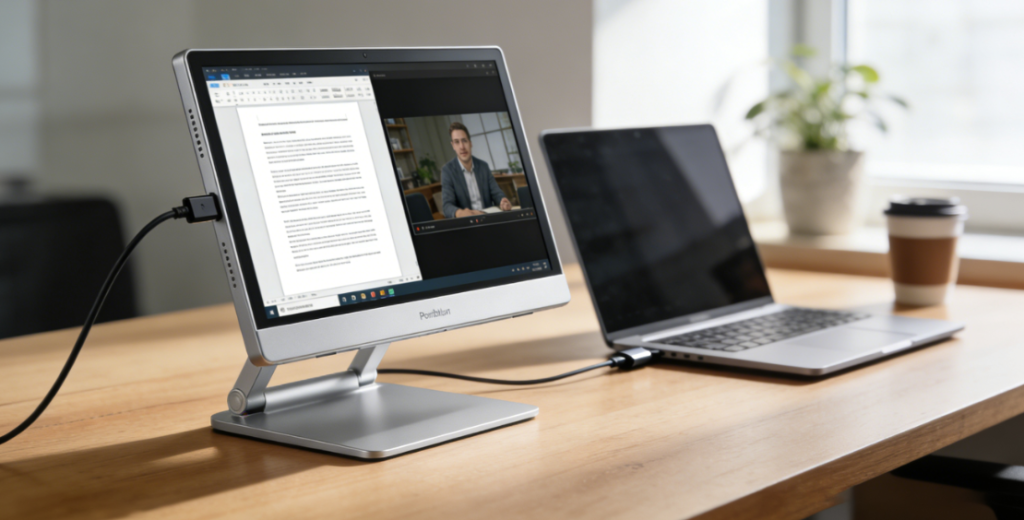
The global portable monitor market is experiencing robust growth, projected to reach 131.87 billion by the end of the forecast period. This surge is driven by the rise of hybrid work models, remote learning, and mobile productivity needs, as professionals and students alike seek to expand their digital workspaces beyond traditional laptops or tablets. In 2026, 13-16 inch models dominate the market with over 60% share, while key players including ASUS, Dell, LG, ViewSonic, and Innocn capture more than 70% of global revenue.
2026 marks a transformative year for portable monitor innovation: OLED panels have expanded to mid-range models, wireless connectivity has become mainstream, and built-in battery solutions offer all-day usability. Users face distinct tradeoffs: students prioritize affordability and portability for campus or home study, while professionals demand color accuracy and versatile connectivity for on-the-go work. Gamers and creatives, meanwhile, seek performance-driven features like high refresh rates or wide color gamuts. Below, we break down core technologies, top 2026 models, and tailored guidance to help you find the perfect portable monitor for your on-the-go lifestyle.
I. Core Technology: Key Innovations & 2026 Breakthroughs ⚙️
Portable monitors redefine mobility by combining compact design with powerful display capabilities, anchored by five defining technologies—panel technology, connectivity options, portability engineering, power solutions, and interactive features. Here’s how 2026’s offerings elevate these essentials:
1. Panel Technology: Color, Clarity & Performance 🎨
| Panel Type | IPS (In-Plane Switching) | OLED (Organic LED) | Mini-LED |
| Key Traits | 178° wide viewing angles, balanced color reproduction, cost-effective | Deep blacks (1M:1 contrast), 100% DCI-P3 color gamut, ultra-thin profile | High brightness (up to 1000 nits), precise HDR zoning, low latency |
| Examples | ASUS ZenScreen MB16AC, Dell C1422H | Innocn 13Q1F, LG Gram+View 16 | ViewSonic X16-4K, MSI Optix MAG161V |
| Best For | Everyday office work, students, budget-conscious users | Creative professionals (photographers/designers), media consumption | Gamers, HDR content creators, video editors |
| Pros | Affordable, durable, consistent colors across viewing angles | Vibrant visuals, energy-efficient, slim and lightweight design | Superior HDR performance, fast response times, minimal motion blur |
| Cons | Limited contrast compared to OLED, average brightness | Higher price point, potential burn-in with prolonged static content | Heavier than OLED models, premium pricing |
2. Connectivity: Seamless Integration Anywhere 🔗
- Wired Connections:
- USB-C PD (Power Delivery): Dominates 2026 models, supporting video transmission, power supply, and data transfer in a single cable—eliminating clutter for travelers. Top models feature USB4/Thunderbolt 5 for 4K/60Hz or 8K/30Hz output, ideal for power users.
- HDMI 2.1: Standard for gaming-focused monitors, enabling 4K/120Hz and variable refresh rate (VRR) support to sync with next-gen consoles (PS5/Xbox Series X).
- Legacy Ports: VGA and micro-HDMI retained in entry-level models for backward compatibility with older laptops or devices.
- Wireless Innovations:
- Wi-Fi 6E: Enables lag-free 4K screen mirroring with 50ms latency—perfect for presenters or users who hate cable tangles.
- Bluetooth 5.4: Supports wireless peripherals (keyboards/mice) and audio output to headphones/speakers, great for video calls or media playback.
- Cross-Device Compatibility: 2026 models universally work with laptops, smartphones (iOS/Android), tablets, game consoles, and mini-PCs—no extra adapters needed for most setups.
3. Portability & Design: Lightweight Yet Durable 🎒
- Form Factor:
- Thickness: 5-8mm for OLED models (Innocn 13Q1F: 7.1mm), 8-12mm for IPS/Mini-LED—slim enough to slip into a laptop sleeve.
- Weight: 500-800g (ultra-portable) for daily carry, 800-1200g (performance-focused) for power users. The ASUS ZenScreen Go weighs just 580g, light enough for backpacks without straining shoulders.
- Structural Features:
- Built-in Stands: Magnetic foldable stands (espresso Display 15) or adjustable kickstands (Dell C1422H) replace bulky external supports—set up in seconds on any flat surface.
- Durability: MIL-STD 810H certification for shock resistance (survives accidental drops), Corning Gorilla Glass for scratch protection (ideal for students or frequent travelers).
- Ergonomics: 360° rotation for portrait/landscape mode (great for reading documents or social media), anti-glare coatings for outdoor use (campus lawns, coffee shop patios).
4. Power Solutions: All-Day Usage Unplugged ⚡
- Battery Integration:
- Built-in Batteries: 3000-5000mAh (7.6V) batteries deliver 4-8 hours of use (Innocn 13Q1F: 3000mAh, 6 hours)—enough for a full day of classes or remote work without outlets.
- Reverse Charging: USB-C PD ports charge smartphones/tablets directly from the monitor (up to 18W)—a lifesaver for dead devices on the go.
- Charging Options:
- 65W Fast Charging: 50% battery in 30 minutes for models with built-in power—quick top-ups between meetings or classes.
- Passive Power: Entry-level models draw power from host devices (no external charger needed)—saves space in backpacks for students.
5. Interactive Features: Beyond Basic Display 🖐️
- Touch Technology:
- 10-point capacitive touch (Innocn 13Q1F) with 2ms latency for natural drawing, navigation, or annotating PDFs—perfect for students or designers.
- Stylus Support: Compatible with Apple Pencil 2, Samsung S Pen, and Wacom Pro Pen for precise creative work (sketching, photo editing) or digital note-taking.
- Enhanced Functionality:
- Built-in Speakers: Dual 2W speakers with Dolby Audio for clear video calls and media—no need for external speakers in small spaces.
- Eye Care: Low blue light certification (TÜV Rheinland), flicker-free dimming, and adaptive brightness—reduces eye strain during long study or work sessions.
- AI Features: Some premium models offer AI-powered color calibration (auto-adjusts to content type) and content optimization (sharpens text, enhances video)—ideal for professionals.
II. Top 2026 Portable Monitors: For Every User 🏆
A. Best for Students 📚
1. ASUS ZenScreen MB16AC (Best Budget) 💰
- Specs: 15.6-inch IPS (1920×1080), 60Hz, 100% sRGB, 220 nits, 580g, 12mm thick.
- Key Features: USB-C PD (60W), built-in foldable stand, auto-rotate sensor, plug-and-play setup.
- Price: $229.99.
- Pros: Ultra-affordable (fits student budgets), lightweight for daily backpack carry, no external power needed (draws from laptop)—saves space and hassle.
- Cons: No built-in battery (needs laptop power), basic brightness (not ideal for direct sunlight).
- Best For: K-12 and college students (online classes, note-taking, multitasking with laptops—e.g., splitting screens for lectures and notes).
2. ViewSonic TD1655 (Best Touchscreen for Students) ✏️
- Specs: 15.6-inch IPS touchscreen (1920×1080), 60Hz, 100% sRGB, 300 nits, 850g, 10mm thick.
- Key Features: 10-point touch, stylus compatibility, USB-C/HDMI inputs, built-in kickstand.
- Price: $349.99.
- Pros: Responsive touch for digital note-taking/sketching, durable design (survives campus commutes), works with tablets/smartphones—versatile for hybrid learning.
- Cons: Heavier than non-touch models, 4-hour battery life when using touch (needs charging mid-day for heavy use).
- Best For: Graduate students, art/design majors (sketching, annotating PDFs, or using educational apps that require touch interaction).
B. Best for Professionals 💼
1. Dell C1422H (Best for Business Travel) ✈️
- Specs: 14-inch IPS (1920×1080), 60Hz, 100% sRGB, 300 nits, 780g, 11mm thick.
- Key Features: USB-C PD (90W), enterprise-grade compatibility (works with Dell/HP/Lenovo laptops), 3-year warranty, anti-glare display.
- Price: $359.99.
- Pros: Rugged build (handles airport luggage), seamless laptop integration, supports dual monitors (for spreadsheet multitasking), anti-glare screen—clear in bright hotel rooms or cafes.
- Cons: No built-in battery (needs power outlet or laptop PD), limited color gamut (not for creative work).
- Best For: Consultants, sales teams, remote workers (on-the-go meetings, client presentations, or expanding laptop screens for productivity).
2. Innocn 13Q1F (Best OLED for Creatives) 🎨
- Specs: 13.3-inch OLED (1920×1080), 60Hz, 100% DCI-P3, 400 nits, 750g, 7.1mm thick.
- Key Features: Built-in 3000mAh battery (6 hours), wireless screen mirroring, 10-point touch, HDR10 support.
- Price: $699.99.
- Pros: Vibrant, color-accurate display (critical for editing), deep blacks, ultra-slim design (fits in laptop bags), reverse charging for phones—practical for on-site shoots.
- Cons: Higher price point, 1080p resolution (no 4K option for detailed video editing).
- Best For: Photographers, graphic designers, content creators (color-accurate editing on the move, client proofs, or reviewing work outside the studio).
3. LG Gram+View 16 (Best 4K All-Rounder) 🌟
- Specs: 16-inch OLED (3840×2160), 60Hz, 100% DCI-P3, 500 nits, 990g, 8mm thick.
- Key Features: USB4/Thunderbolt 5, built-in 5000mAh battery (8 hours), LG Calibration Studio (for precise color tuning), dual speakers.
- Price: $1,199.99.
- Pros: Stunning 4K display (sharp for video editing/UX design), long battery life (full workday unplugged), fast data transfer (speeds up file sharing), premium aluminum chassis—durable and professional-looking.
- Cons: Heavier for 16-inch (990g) compared to smaller models, expensive (investments for power users).
- Best For: Video editors, UX designers, and power users (demanding content creation, multi-window productivity, or working with 4K media on the road).
C. Best for Gamers 🎮
1. MSI Optix MAG161V (Best High-Refresh) ⚡
- Specs: 16-inch IPS (1920×1080), 165Hz, 100% sRGB, 400 nits, 1.1kg, 12mm thick.
- Key Features: HDMI 2.1, 1ms GTG response time, FreeSync Premium (eliminates screen tearing), game mode presets (FPS/RPG/racing).
- Price: $499.99.
- Pros: Smooth gameplay (165Hz refresh rate), low latency (1ms) for competitive gaming, compatible with PS5/Xbox Series X, durable build (handles lan parties).
- Cons: No built-in battery (needs power outlet or portable charger), bulkier than productivity models—less ideal for daily carry.
- Best For: Mobile gamers, esports enthusiasts (lan parties, travel gaming, or extending console screens for better visibility).
III. Scenario-Based Recommendations 🎭
1. Budget-Conscious Students (K-12/Community College) 🎒
- Top Pick: ASUS ZenScreen MB16AC + USB-C Extension Cable
- Why: At $230, it’s affordable for students and families; the 580g weight won’t weigh down backpacks; and it draws power directly from laptops—no extra chargers to lose. The USB-C extension cable solves port accessibility issues on slim laptops (e.g., MacBook Air) where ports are tight to the edge.
2. Remote Workers (Frequent Travel + Meetings) ✈️
- Top Pick: Dell C1422H + Portable USB-C Dock
- Why: Enterprise-grade reliability means it works seamlessly with work laptops; the 300-nit anti-glare display is clear in bright hotel rooms or cafes; and 90W PD charging keeps laptops powered during long meetings. The USB-C dock adds extra ports for peripherals (mouse, keyboard, external drive) when working from temporary desks.
3. Creative Professionals (On-Site Shoots/Client Meetings) 🎨
- Top Pick: Innocn 13Q1F + Wacom Intuos Mini
- Why: 100% DCI-P3 OLED display ensures accurate color previews for clients (no more surprises post-delivery); wireless screen mirroring eliminates cable clutter during presentations; and the built-in 6-hour battery lasts a full day of on-site work. The Wacom tablet enhances precision for quick edits or client feedback adjustments.
4. Gamers (Travel + Console Gaming) 🎮
- Top Pick: MSI Optix MAG161V + Portable Power Bank (20000mAh)
- Why: 165Hz refresh rate and 1ms latency deliver console-quality gameplay (smooth for FPS titles like CS2 or Valorant); HDMI 2.1 compatibility unlocks 4K/120Hz on PS5/Xbox Series X. The 20000mAh power bank extends usage for outdoor gaming sessions (e.g., park lan parties) without access to outlets.
5. Hybrid Users (Student + Part-Time Work) 📚💼
- Top Pick: ViewSonic TD1655 + Laptop Stand
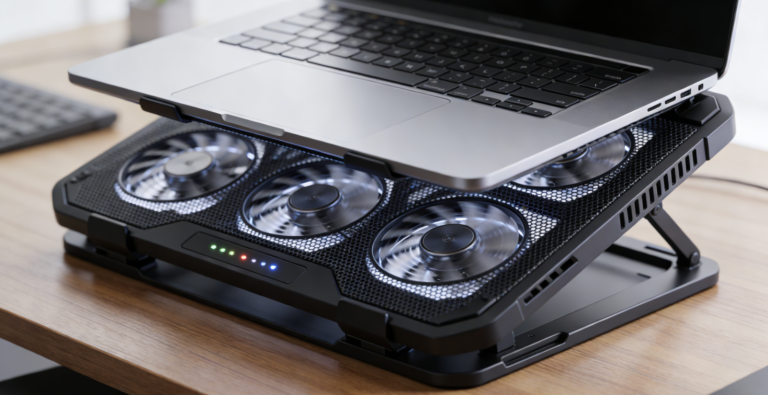
- Why: Touchscreen functionality suits student needs (note-taking, annotating lectures) and work tasks (presenting, marking up documents); the 300-nit display works in both classrooms and offices. The laptop stand improves ergonomics during long sessions (reduces neck strain) and elevates the laptop to align with the monitor for a seamless dual-screen setup.
IV. How to Choose: Key Factors for Every User 🛒
1. Define Your Primary Use Case
- Students: Prioritize portability (≤800g), affordability ($200-$400), and plug-and-play simplicity. IPS panels suffice for note-taking and online classes—no need to overspend on OLED.
- Professionals: Focus on color accuracy (100% sRGB/DCI-P3 for creatives), connectivity (USB-C PD/Thunderbolt for fast transfers), and durability (MIL-STD certification for travel).
- Gamers: Prioritize refresh rate (≥120Hz), response time (≤5ms), and HDMI 2.1 compatibility. Mini-LED or IPS panels offer the best balance of performance and portability.
- Hybrid Users: Opt for mid-range touchscreen models ($350-$600) with versatile connectivity (USB-C + HDMI) and 4-6 hour battery life—adapts to both study and work.
2. Choose the Right Panel Type
- Everyday Use (Office/Study): IPS – affordable, wide viewing angles, and durable for daily use.
- Creative Work (Photo/Video Editing): OLED – 100% DCI-P3 color gamut and deep contrast for accurate color grading.
- Gaming/HDR Content: Mini-LED – high brightness and low latency for immersive gameplay and HDR movies.
3. Set a Realistic Budget
- $200-$350: Entry-level (ASUS ZenScreen MB16AC, AOC I1601FWUX) – great for students and casual users who need basic screen extension.
- $350-$700: Mid-range (Dell C1422H, ViewSonic TD1655) – ideal for professionals and hybrid users who want extra features (touch, better brightness).
- $700+: Premium (LG Gram+View 16, Innocn 13Q1F) – best for creatives, gamers, and power users who demand top-tier performance (4K, OLED, long battery).
4. Must-Have Features
- Students: Lightweight design (≤800g), USB-C power delivery (no extra charger), anti-glare display (for bright classrooms).
- Professionals: Color accuracy (ΔE creatives), USB4/Thunderbolt connectivity, enterprise warranty (for reliability), built-in stand (no extra accessories).
- Gamers: High refresh rate (≥120Hz), low latency (≤5ms), HDMI 2.1, FreeSync/G-Sync (no screen tearing).
- All Users: Universal compatibility (works with laptops/phones/consoles), compact form factor (fits in bags), and durable build (resists scratches/drops).
5. Avoid Common Mistakes
- Ignoring Connectivity: Ensure the monitor supports your device’s ports (e.g., USB-C for modern laptops, HDMI for consoles) – avoid adapters that add cost and clutter.
- Sacrificing Portability for Size: A 16-inch monitor offers more screen space but may be too bulky for daily carry—opt for 13-14 inch if you travel often.
- Overlooking Battery Life: If you need to use the monitor away from outlets (e.g., campus, cafes), prioritize models with built-in batteries (≥4 hours).
- Neglecting Color Accuracy: Creative professionals should avoid low-cost IPS panels with limited gamut coverage (e.g., <90% sRGB) – they’ll distort colors in edits.
- Forgetting Accessories: Budget for a protective case (prevents scratches during travel) and extra cables (backup for lost/damaged ones).
Conclusion
2026’s portable monitors have evolved from niche accessories to essential tools, empowering students and professionals to extend their digital workspaces anywhere. ASUS ZenScreen MB16AC leads for budget-conscious students, Dell C1422H excels for business travelers, and LG Gram+View 16 dominates for creative power users—while MSI Optix MAG161V caters to on-the-go gamers.
The key to choosing wisely lies in aligning panel technology, portability, and features with your lifestyle: students benefit from lightweight, affordable IPS models; professionals need color-accurate, well-connected displays; and gamers prioritize high refresh rates and low latency. As wireless connectivity and OLED technology become more accessible, portable monitors will continue to redefine mobility—turning coffee shops, hotel rooms, and classrooms into fully functional workspaces.
Whether you’re cramming for exams, closing deals on the road, or editing content in the field, the best portable monitor is the one that seamlessly integrates into your workflow. By focusing on your primary use case, budget, and must-have features, you’ll find a display that doesn’t just extend your screen space—it enhances your productivity, creativity, and flexibility, no matter where you go.
About the Author