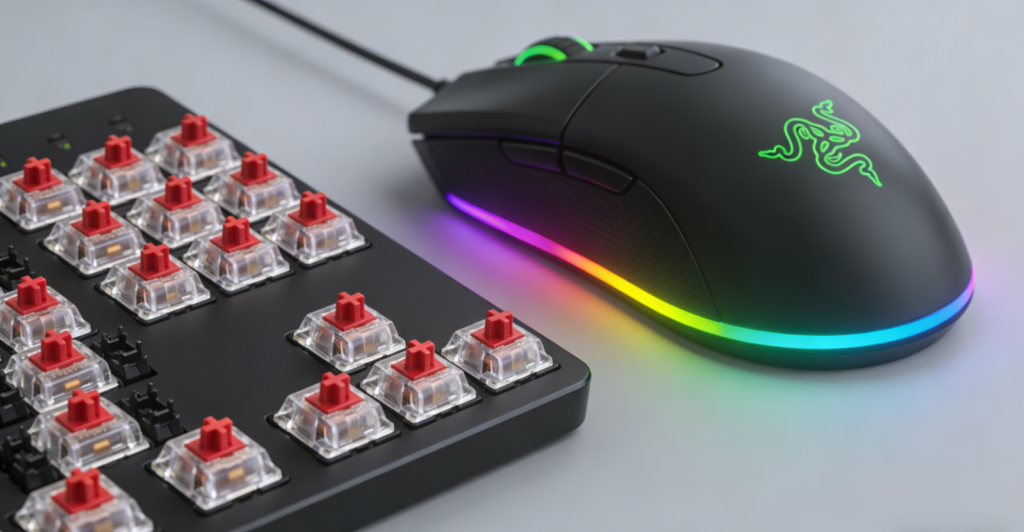
The global gaming keyboards and mice market is experiencing dynamic growth, with a projected 2026 market size of $11.3 billion and a compound annual growth rate (CAGR) of 9.2% from 2025 to 2030. Two key trends dominate the 2026 landscape: the mainstream adoption of high-performance mechanical switches (accounting for 78% of gaming keyboard sales) and the rise of unified RGB lighting ecosystems, driven by gamer demand for both tactile precision and personalized aesthetics. For gamers, the combination of responsive mechanical switches (reducing input latency by up to 30% vs. membrane keyboards) and customizable RGB lighting (enhancing immersion and setup cohesion) has become a defining factor in equipment selection—yet 63% of users report frustration with incompatible RGB software or ill-suited switch types.
2026 has refined the “one-size-fits-all” myth for gaming peripherals. Mechanical switches now offer specialized variants for every playstyle (e.g., ultra-fast optical switches for FPS, tactile switches for MOBA), while RGB lighting has evolved beyond mere decoration to include functional syncing (e.g., audio reactivity, CPU temperature monitoring). Whether you’re clutching ranked matches in Valorant, executing complex combos in League of Legends, or streaming with a themed setup, today’s gaming keyboards and mice blend performance and personalization seamlessly. Below, we break down the latest technological innovations, top 2026 models, and practical guidance to help you choose the perfect pair.
I. Core Technology: Mechanical Switches & RGB Lighting Excellence 🎯
The performance and appeal of gaming keyboards and mice hinge on two foundational technologies—mechanical switches (for tactile precision) and RGB lighting (for customization). Here’s how 2026’s advancements elevate both:
1. Mechanical Switches: Tactile Precision for Every Playstyle 🖐️
- Switch Types & Technologies: 2026 offers three primary mechanical switch categories, each optimized for specific gaming needs:
- Traditional Mechanical Switches: Cherry MX (Red/Blue/Brown), Razer Green/Orange/Yellow, and Logitech GL switches remain popular, with 50M-100M click lifespans. Red (linear, 45g actuation) and Razer Yellow (35g) excel in FPS for rapid key presses, while Blue (tactile-clicky, 50g) and Brown (tactile, 45g) suit MOBA/MMO for deliberate inputs that require clear feedback.
- Optical Mechanical Switches: Razer Huntsman’s Opto-Mechanical and SteelSeries’ OmniPoint 2.0 use light-based actuation (0.2ms latency) instead of physical contact, offering faster response and 100M+ click durability. OmniPoint 2.0 adds adjustable actuation (0.1-4.0mm), ideal for customizing to game mechanics—whether you need ultra-sensitive triggers for FPS or deeper presses for MMO hotkeys.
- Haptic/Inductive Switches: Logitech’s Haptic Inductive Trigger System (in GPW5 mouse) and Razer’s HyperMagnetic switches eliminate physical contact, reducing latency by 30% vs. traditional switches and enabling 10 programmable trigger points for personalized input sensitivity.
- Key Features for Gamers: Hot-swappable sockets (allowing switch replacement without soldering) are now standard on mid-to-high-end keyboards, while anti-ghosting (full N-key rollover) and 8K polling rate (125μs response) ensure no missed inputs in fast-paced gameplay—critical for executing combos or rapid fire in competitive matches.
2. Customizable RGB Lighting: Beyond Aesthetics to Functionality ✨
- Sync Ecosystems: 2026’s breakthrough lies in unified RGB control. MSI’s collaboration with SignalRGB enables seamless sync across keyboards, mice, motherboards, and peripherals via a single app, auto-detecting RGB/ARGB devices for hassle-free customization. MAXSUN Sync offers six modes (including CPU temperature monitoring and music sync), where lighting changes dynamically with system load or audio beats—perfect for streamers or setup enthusiasts.
- Hardware & Customization: Top models feature 16.8M color support, 1000+ lumens brightness, and per-key RGB (keyboards) or multi-zone lighting (mice). Advanced options include RGB “reactivity” (lighting pulses on key press/mouse click) and game-specific profiles (e.g., Valorant ability cooldown timers visualized via RGB, so you never miss a skill reset).
- Efficiency: Smart power management reduces RGB-related battery drain on wireless devices—Logitech GPW5, for example, maintains 200+ hours of use with RGB enabled, a 40% improvement over 2024 models, eliminating the need to sacrifice aesthetics for battery life.
3. Complementary Gaming Technologies 🚀
- Keyboards: Programmable macro keys (up to 24 on MMO models) let you map complex combos to a single press, while detachable wrist rests (ergonomic support) and compact layouts (TKL/60% for desk space) cater to diverse setups. Wireless keyboards adopt LIGHTSPEED 2.4GHz technology (0.2ms latency) to match wired performance, so you get clutter-free desks without compromising speed.
- Mice: High-precision sensors (Logitech HERO 2, 44000 DPI; PAW3950, 33000 DPI) offer zero smoothing/filtering, while lightweight designs (49-70g) reduce fatigue during marathon gaming sessions. Wireless mice now deliver 200+ hours of battery (e.g., GPW5’s 215-hour runtime) to eliminate charging anxiety mid-tournament.
II. Top 2026 Gaming Keyboards & Mice 🏆
1. Gaming Keyboards
a. Razer Huntsman V3 Pro (Best Overall) ⭐
- Specs: Optical Mechanical switches (Razer Yellow/Red), 8K polling rate, 104-key layout + 8 macro keys, per-key RGB (SignalRGB compatible), wireless/wired dual-mode, 200-hour battery.
- Key Features: HyperSpeed Wireless (0.2ms latency), adjustable actuation (0.1-3.8mm), detachable leather wrist rest, Razer Synapse 5 (RGB/macro customization).
- Price: $299.99.
- Pros: Blazing-fast optical switches, seamless RGB sync across ecosystems, versatile wireless performance, durable build with premium materials.
- Cons: Premium pricing, heavy with wrist rest (1.2kg) for travel-focused setups.
- Best For: Competitive gamers (FPS/MOBA), streamers, and RGB enthusiasts seeking top-tier performance and aesthetics.
b. Logitech G915 TKL LIGHTSPEED (Best Wireless) 📡
- Specs: GL Tactile/Linear switches, 8K polling rate, TKL (87-key) layout, per-key RGB (Logitech G HUB sync), 120-hour battery, 89g weight.
- Key Features: Low-profile design (30% slimmer than standard keyboards), LIGHTSPEED 2.4GHz + Bluetooth, 5 programmable macro keys.
- Price: $229.99.
- Pros: Ultra-low latency wireless (matches wired speed), compact ergonomic design saves desk space, long battery life, quiet switches for shared environments.
- Cons: Fewer macro keys than full-size models, shallow key travel compared to traditional mechanical switches.
- Best For: Desk space-saving setups, casual-to-competitive gamers, and multi-device users (Bluetooth + 2.4GHz connectivity).
c. SteelSeries Apex Pro Mini Wireless (Best Compact) 📦
- Specs: OmniPoint 2.0 adjustable switches (0.1-4.0mm), 8K polling rate, 60% layout (61 keys), per-key RGB (SteelSeries GG sync), 180-hour battery, 59g weight.
- Key Features: Fully programmable via software (no physical macro keys), HotSwap compatible (swap switches without soldering), aircraft-grade aluminum frame.
- Price: $199.99.
- Pros: Ultra-light compact design (fits small desks/gaming bags), customizable actuation for any game, durable build, excellent RGB customization.
- Cons: No dedicated arrow keys (requires software mapping), steep learning curve for 60% layout newbies.
- Best For: Minimalist setups, FPS gamers (fast key presses), and travel-friendly use (LAN parties/tournaments).
d. Redragon K552 Mechanical Gaming Keyboard (Best Budget) 💰
- Specs: Cherry MX-style Blue/Red switches, 104-key layout, 12 RGB backlight modes, wired (USB-C), 870g weight.
- Key Features: N-key rollover (no missed inputs), 5 programmable macro keys, plug-and-play (no software needed for basic use).
- Price: $49.99.
- Pros: Unbeatable value for mechanical switches, durable build that withstands casual use, vibrant RGB for budget-focused setups.
- Cons: No wireless functionality, basic RGB customization (no per-key control—only preset modes).
- Best For: New gamers, budget-conscious setups, and casual play (works for office use too).
2. Gaming Mice
a. Logitech G PRO X SUPERSTRIKE (GPW5) (Best Overall) ⭐
- Specs: HERO 2 sensor (44000 DPI), Haptic Inductive Trigger System, 6 programmable buttons, 3-zone RGB (G HUB sync), wireless/wired dual-mode, 63g weight, 215-hour battery.
- Key Features: LIGHTSPEED 2.4GHz (0.2ms latency), 10 adjustable trigger points, Swiss-precision build, ergonomic symmetric design (left/right-handed friendly).
- Price: $179.99.
- Pros: Industry-leading sensor (zero smoothing/filtering), ultra-low latency for competitive play, long battery life, versatile ergonomics for all grip styles.
- Cons: Limited RGB zones (3 vs. per-key on keyboards), no side scroll wheel for productivity tasks.
- Best For: Competitive esports players, multi-genre gamers, and wireless performance seekers (no cable drag).
b. Razer DeathAdder V3 Pro (Best Ergonomic) 🛡️
- Specs: Focus Pro 30K sensor (30000 DPI), Razer Optical switches, 8 programmable buttons, per-side RGB (Synapse 5 sync), wireless/wired dual-mode, 62g weight, 140-hour battery.
- Key Features: Ergonomic right-handed design (supports palm/claw grip), textured grip (prevents slipping during sweaty sessions), 8K polling rate, Chroma RGB studio (custom effects).
- Price: $159.99.
- Pros: Comfortable for long MMO/MOBA sessions (4+ hours), precise sensor for aiming, vibrant RGB with game integration, durable switches (100M clicks).
- Cons: Not ideal for left-handed users, slightly heavier than GPW5 for fingertip grip.
- Best For: MMO/MOBA gamers (macro-heavy play), right-handed users, and ergonomic priority (reduces wrist strain).
c. Glorious Model O- (2026) (Best Lightweight) 🪶
- Specs: PAW3950 sensor (33000 DPI), Glorious Fox switches, 6 programmable buttons, 4-zone RGB (Glorious Core sync), wireless/wired dual-mode, 49g weight, 180-hour battery.
- Key Features: Honeycomb shell (max lightness without sacrificing durability), 8K polling rate, symmetric design (all grip styles), universal RGB sync (works with SignalRGB).
- Price: $129.99.
- Pros: World’s lightest wireless gaming mouse (reduces arm fatigue), responsive switches for fast clicks, great for fast FPS movements (flicks/aiming).
- Cons: Honeycomb design collects dust (requires occasional cleaning), shorter battery life than GPW5.
- Best For: FPS gamers (Valorant/CS2), fast-paced play, and lightweight enthusiasts (minimal hand strain).
d. Redragon M711 Cobra (Best Budget) 💰
- Specs: PixArt PAW3325 sensor (10000 DPI), mechanical switches, 7 programmable buttons, 7 RGB backlight modes, wired (USB-C), 82g weight.
- Key Features: Ergonomic design (supports palm grip), 1250Hz polling rate (smooth cursor movement), plug-and-play functionality (no software required for basic use).
- Price: $34.99.
- Pros: Excellent value for the price, solid sensor for 1080p gaming, comfortable grip for casual sessions.
- Cons: No wireless functionality, basic RGB (no custom effects—only presets).
- Best For: New gamers, casual play, and budget setups (paired with Redragon keyboard for under $100 total).
III. Recommendations by Gaming Genre 🎭
1. FPS (Valorant, Call of Duty) 🔫
- Top Pick: Razer Huntsman V3 Pro + Logitech GPW5
- Why: Razer’s optical switches (0.2ms actuation) and Logitech’s HERO 2 sensor (44000 DPI) deliver pinpoint precision for aiming and rapid key presses (jump/crouch/reload). Both support 8K polling rate and near-zero latency, critical for competitive FPS where split-second reactions win matches. RGB can be synced to visualize reload timers or enemy proximity (via game integration) for added immersion.
2. MOBA/MMO (League of Legends, World of Warcraft) 🧑🤝🧑
- Top Pick: SteelSeries Apex Pro Mini Wireless + Razer DeathAdder V3 Pro
- Why: SteelSeries’ programmable 60% layout (software-mapped macros) and Razer’s 8 macro buttons handle complex ability combos and hotkeys (spells/potions/mounts). OmniPoint 2.0’s adjustable actuation suits MOBA’s deliberate inputs (clear tactile feedback for skill presses), while DeathAdder’s ergonomic design supports long MMO sessions (4+ hours of raiding). RGB syncs with ability cooldowns via software, so you never miss a skill reset.
3. Casual Gaming & Streaming 🎥
- Top Pick: Logitech G915 TKL + Glorious Model O-
- Why: Logitech’s compact TKL design saves desk space for streamers (fits alongside microphones/cameras), while Glorious’ lightweight mouse reduces fatigue during long streams. Both offer vibrant RGB (compatible with streaming software like OBS) and reliable wireless performance (no cable clutter in camera frame). The combination balances aesthetics (themed setups) and functionality (smooth gameplay for casual titles like Stardew Valley or Fall Guys).
4. Budget-Conscious Gamers (Under $100 Total) 💰
- Top Pick: Redragon K552 + Redragon M711 Cobra
- Why: This under-$100 pair delivers mechanical switches (no mushy membrane keys) and basic RGB for casual play. Redragon’s keyboard offers N-key rollover (no missed inputs in fast-paced games), while the mouse’s PAW3325 sensor handles 1080p gaming (smooth aiming in Fortnite or Minecraft). Ideal for new gamers or secondary setups (guest rooms/office).
5. RGB Enthusiasts & Themed Setups ✨
- Top Pick: Razer Huntsman V3 Pro + Razer DeathAdder V3 Pro
- Why: Full Razer Chroma ecosystem support (per-key/per-side RGB) enables seamless sync with other Razer peripherals (headsets, mouse pads, RGB strips). SignalRGB compatibility extends sync to non-Razer devices (motherboards/monitors), while Synapse 5 offers unlimited custom effects (music sync, CPU temperature monitoring, game-specific profiles) for a cohesive themed setup—perfect for streamers or RGB lovers.
IV. How to Choose the Right Gaming Keyboard & Mouse 🛒
1. Prioritize Mechanical Switch Type
- FPS Gamers: Linear switches (Razer Yellow, Cherry MX Red) with low actuation force (35-45g) for rapid, repeated presses (no tactile feedback to slow you down).
- MOBA/MMO Gamers: Tactile switches (Cherry MX Brown, Razer Orange) for distinct key feedback (know when a skill is pressed) or adjustable switches (OmniPoint 2.0) for custom actuation (shallow for quick skills, deep for modifiers).
- Casual/Office Gamers: Clicky switches (Cherry MX Blue) for satisfying feedback (great for typing too) or silent linear switches (Logitech GL Linear) for shared spaces (no loud clicks).
2. Evaluate RGB Functionality
- Sync Needs: Choose devices compatible with your existing ecosystem (SignalRGB for multi-brand setups, Razer Chroma for Razer gear, MAXSUN Sync for MSI motherboards) to avoid software headaches.
- Customization Level: Per-key RGB (keyboards) and multi-zone RGB (mice) offer more flexibility than basic backlighting—ideal for streamers or themed setups. Look for software with game integration (cooldown timers, audio sync) for added functionality.
- Battery Impact: For wireless devices, opt for models with smart RGB power management (e.g., Logitech GPW5) to avoid frequent charging—RGB should enhance your setup, not become a hassle.
3. Consider Form Factor & Ergonomics
- Keyboard Layout: Full-size (104-key) for dedicated macro keys (MMO), TKL (87-key) for desk space (streaming), 60% (61-key) for portability (LAN parties).
- Mouse Grip: Palm grip (ergonomic designs like Razer DeathAdder), claw grip (symmetric models like Logitech GPW5), fingertip grip (lightweight mice like Glorious Model O-). Test grip style before buying—comfort = longer gaming sessions.
- Weight: Mice under 70g reduce arm fatigue for long sessions; keyboards with wrist rests improve comfort (critical for MMO raiding or marathon streams).
4. Balance Wireless vs. Wired
- Competitive Gaming: Wired or LIGHTSPEED 2.4GHz wireless (0.2ms latency) for zero input delay—no cable drag or signal interference.
- Casual/Streaming: Wireless (Bluetooth + 2.4GHz) for desk clutter reduction; ensure battery life ≥100 hours to avoid mid-stream charging.
- Budget: Wired models offer better value (no wireless hardware costs) and no battery concerns—great for new gamers.
5. Avoid Common Pitfalls
- Overpaying for RGB Alone: Prioritize switch quality and sensor performance over RGB—basic RGB can be upgraded via software, but poor hardware (mushy switches, laggy sensors) can’t be fixed.
- Ignoring Actuation Force: Heavy switches (≥60g) cause finger fatigue during long sessions; light switches ( risk accidental presses (e.g., hitting “fire” when reaching for “aim down sights”). Test switch feel if possible.
- Neglecting Compatibility: Ensure RGB software works with your OS (Windows/macOS) and other peripherals—nothing is more frustrating than RGB that won’t sync across your setup.
- Blindly Chasing High DPI: 800-1600 DPI is sufficient for 1080p/1440p gaming—higher DPI (44000+) is useful for multi-monitor setups but not a performance boost. Focus on sensor precision (zero smoothing) over raw DPI numbers.
Conclusion
In 2026, gaming keyboards and mice have evolved to balance tactile precision (via advanced mechanical switches) and personalized aesthetics (through unified RGB ecosystems). The best pairs—like the Razer Huntsman V3 Pro + Logitech GPW5—deliver low latency, durable hardware, and seamless RGB sync, while budget options (Redragon K552 + M711 Cobra) prove you don’t need to overspend for quality.
The key to choosing wisely is aligning hardware with your gaming style: FPS players need linear switches and lightweight mice, MMO gamers benefit from programmable keys and ergonomic designs, and RGB enthusiasts should prioritize cross-device sync compatibility. By focusing on mechanical switch type, RGB functionality, and ergonomics, you’ll find peripherals that feel like an extension of your hands—turning every click and keypress into a winning advantage.
As technology advances—with even faster optical switches and AI-powered RGB sync on the horizon—2026’s gaming keyboards and mice set a high bar for blending function and style. Whether you’re a competitive esports player or a casual streamer, the right pair will enhance both performance and enjoyment, making every gaming session more immersive and satisfying.
About the Author