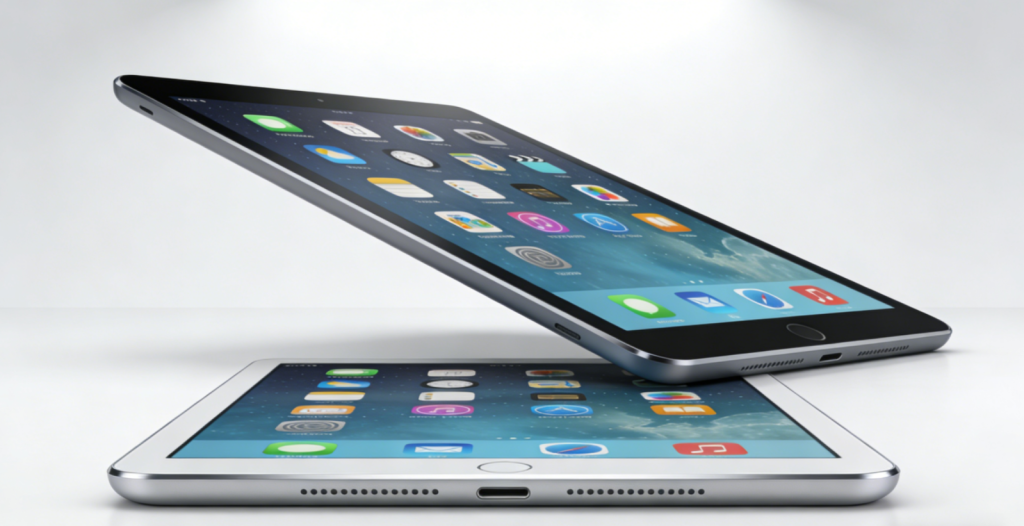
The global tablet market is set to grow 2.4% year-over-year in 2026, with a clear shift toward multi-purpose devices that excel at work, entertainment, and education (IDC 2026 Worldwide Tablet Forecast)[superscript:7)]. No longer just “big phones” or “mini laptops,” 2026’s top tablets blend powerful processors (Apple M5, Snapdragon 8 Gen 5), immersive OLED displays, and ecosystem synergy to fit every lifestyle. Whether you’re a remote worker, a casual gamer, a student, or a parent shopping for a learning device, this guide will help you navigate specs, use cases, and top picks to find your perfect match—without overspending or settling for less.
I. Core Buying Factors: What to Prioritize in 2026 🎯
1. Processor: The “Brain” of Your Tablet ⚙️
The processor determines speed, multitasking ability, and longevity—choose based on your usage:
- Flagship (Premium): Apple M5/M4, Snapdragon 8 Gen 5/Elite, Kirin 9010 (AnTuTu score 130k+). Ideal for 4K video editing, 3D drawing, heavy gaming, and professional work. Powers tablets like the iPad Pro M5 and Samsung Galaxy Tab S11 Ultra[superscript:2superscript:4)].
- Mid-Range (Mainstream): Snapdragon 8s Gen 4, MediaTek Dimensity 9300+, Kirin 8000 (60-110k AnTuTu). Perfect for multitasking, online classes, document editing, and casual gaming. Found in Xiaomi Pad 8 and Huawei MatePad 11.5s [superscript:1superscript:4)].
- Entry-Level (Basic Use): Snapdragon 6 Gen 2, MediaTek Dimensity 7200 (40-60k AnTuTu). Suitable for streaming, video calls, and light app use. Great for kids, seniors, or backup devices [superscript:4)].
2. Display: Your Window to Everything 🖼️
2026’s best tablets prioritize both quality and eye comfort—key specs to check:
- Size: 10.2-11 inches (portable, ideal for commuting/students); 11-12.5 inches (balanced for work/entertainment); 12.5+ inches (immersive for gaming/creation)[superscript:4)].
- Resolution & Technology: 2.8K-3.2K (mainstream), 4K (premium). OLED for vibrant colors/true blacks (entertainment/creators); LCD with 2160Hz PWM dimming + TÜV Rheinland Eye Comfort Certification (education/long sessions)[superscript:3superscript:4)].
- Refresh Rate: 120Hz (smooth scrolling/multitasking); 144-165Hz (gaming/action content); 60Hz (basic use only)[superscript:4)].
- Aspect Ratio: 3:2 (more vertical space for documents/books—work/education); 16:9 (wider for movies/gaming—entertainment)[superscript:4)].
3. Storage & RAM: Avoid “Out of Space” Headaches 📦
- RAM: 8GB (basic use); 12GB (seamless multitasking/gaming); 24GB (professional creation/heavy app use)[superscript:4)].
- Storage: 256GB (minimum for most users—stores apps, photos, and videos); 512GB/1TB (creators/gamers who need space for large files)[superscript:4)]. Skip 128GB—it fills up fast with system updates and apps!
4. Battery Life & Charging: Stay Powered All Day ⚡
- Battery Capacity: 8000-10000mAh (mainstream); 9000mAh+ (gaming/heavy use). Aim for 8+ hours of screen time (work/education) or 5+ hours of gaming[superscript:4)].
- Fast Charging: 30W (entry-level); 65-68W (mid-range, 30 mins = 70% charge); 100W+ (premium, 20 mins full charge)[superscript:4)].
5. OS & Ecosystem: What Works With Your Devices 🌐
- iPadOS (Apple): Seamless integration with iPhone/Mac, top-tier app quality, and best-in-class stylus (Apple Pencil) support. Ideal for creators, students, and Apple users[superscript:4superscript:8)].
- Android/HyperOS (Xiaomi/Samsung): Open, customizable, and budget-friendly. Great for cross-device sync with Android phones, gaming, and value seekers[superscript:4superscript:8)].
- HarmonyOS (Huawei): Superior multi-screen synergy with Huawei phones/laptops, low stylus latency, and productivity-focused features. Perfect for Huawei ecosystem users [superscript:4superscript:8)].
- Windows (Microsoft Surface): Runs full PC software (Excel, Photoshop, industry tools). Best for professionals who need laptop-like functionality in a tablet[superscript:3superscript:8)].
6. Accessories: Elevate Your Experience 🖋️⌨️
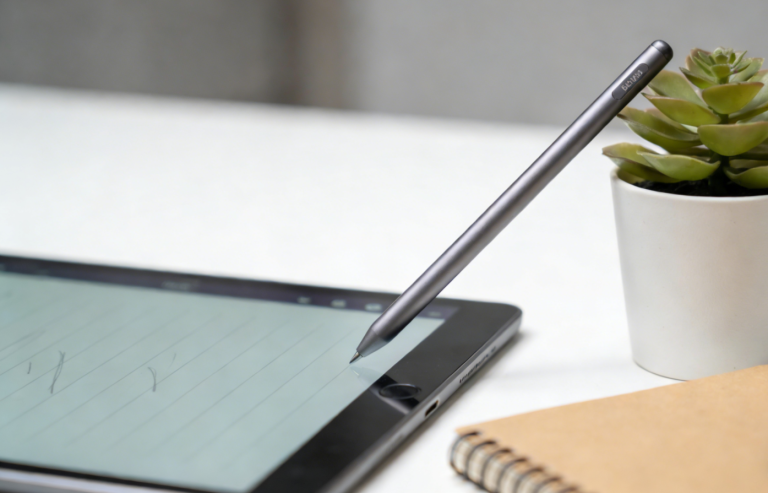
- Stylus: Must-have for education (note-taking) and work (drawing/annotating). Look for low latency (≤9ms) and pressure sensitivity (4096+ levels)—Apple Pencil, S Pen, and Huawei M-Pencil are top choices[superscript:3superscript:4)].
- Keyboard: Essential for work/students. Detachable keyboards (iPad Magic Keyboard, Surface Type Cover) turn tablets into laptops[superscript:3)].
- Kid-Friendly Add-Ons: Shockproof cases, parental controls, and preloaded educational apps (for education use)[superscript:6)].
II. Tablet Recommendations by Scene 🎭
1. For Work: Productivity Powerhouses 💼
Core Needs: Multitasking, cross-device sync, stylus/keyboard support, long battery life.
- Premium Pick: Apple iPad Pro 12.9-inch (M5) 🍎
- Specs: M5 chip, 12.9-inch 4K OLED (1600 nits), 12GB RAM, 256GB/512GB/1TB, 9700mAh battery, Apple Pencil 3 support, iPadOS 26.
- Price: $1,299 (256GB).
- Pros: Desktop-class performance, seamless Mac/iPhone integration, best stylus experience, 10-hour battery.
- Cons: Expensive, accessories sold separately.
- Ideal For: Creative professionals, remote workers, and Apple ecosystem loyalists[superscript:3)].
- Android Pick: Samsung Galaxy Tab S11 Ultra 📱
- Specs: Snapdragon 8 Gen 5, 14.6-inch 3.2K OLED (1600 nits), 12GB RAM, 256GB/512GB, 11,200mAh battery, S Pen included, IP68 waterproof, One UI 7.
- Price: $1,099 (256GB).
- Pros: Largest tablet display, built-in S Pen, waterproof, 12-hour battery, DeX mode (desktop interface).
- Cons: Bulky for travel.
- Ideal For: Android users, designers, and multitaskers who want a laptop replacement[superscript:3)].
- Windows Pick: Microsoft Surface Pro 11 (OLED) 💻
- Specs: 13th Gen Intel Core i7, 13-inch OLED display, 16GB RAM, 512GB/1TB, 8,500mAh battery, Surface Pen/Type Cover compatible, Windows 11 Pro.
- Price: $1,199 (512GB).
- Pros: Runs full Windows apps, laptop-tablet hybrid, great for business/industry software.
- Cons: Shorter battery life (6-8 hours).
- Ideal For: Professionals who need PC functionality (finance, healthcare, engineering)[superscript:3)].
2. For Entertainment: Gaming & Streaming Excellence 🎮🎬
Core Needs: Immersive display, powerful GPU, great speakers, long battery, cooling.
- Gaming Pick: Lenovo Legion Y700 Gen 5 🎮
- Specs: Snapdragon 8 Gen 5, 8.8-inch 3K 165Hz gaming display, 12GB RAM, 256GB/512GB, 9,000mAh battery, 68W fast charging, advanced cooling system.
- Price: $699 (256GB).
- Pros: Compact for gaming, 165Hz refresh rate, responsive touch controls, long gaming sessions.
- Cons: Smaller screen for non-gaming use.
- Ideal For: Mobile gamers and on-the-go entertainment[superscript:4)].
- Streaming Pick: Samsung Galaxy Tab S11 📺
- Specs: Snapdragon 8s Gen 4, 11-inch Dynamic AMOLED 2X (120Hz), 8GB RAM, 256GB, 8,000mAh battery, Dolby Atmos speakers, IP68 waterproof.
- Price: $599 (256GB).
- Pros: Vibrant OLED display, loud/clear speakers, waterproof (use by the pool), seamless streaming app integration.
- Cons: Mid-range GPU for heavy gaming.
- Ideal For: Movie/show lovers and casual gamers[superscript:3)].
- Budget Entertainment Pick: Xiaomi Redmi Pad 2 Pro 📱
- Specs: MediaTek Dimensity 9300+, 12.1-inch 3K 120Hz LCD, 8GB RAM, 256GB, 12,000mAh battery (2-day use), 67W fast charging.
- Price: $349 (256GB).
- Pros: Massive battery, large screen, great value, loud speakers.
- Cons: LCD less vibrant than OLED.
- Ideal For: Budget-conscious streamers and families[superscript:1superscript:4)].
3. For Education: Learning-Focused Tools 📚✏️
Core Needs: Eye protection, stylus support, long battery, durable, educational software.
- Student Pick (13-18): iPad Air 7 (M3) 🍎
- Specs: Apple M3 chip, 11-inch Liquid Retina LCD (Eye Comfort Certification), 8GB RAM, 256GB, 7,600mAh battery, Apple Pencil 2 support, iPadOS (education apps like GoodNotes).
- Price: $799 (256GB).
- Pros: Fast performance, seamless note-taking, 6 years of software updates, lightweight.
- Cons: Accessories sold separately.
- Ideal For: High school/college students and note-takers[superscript:4)].
- Kid-Friendly Pick (3-12): Amazon Fire HD 10 Kids Pro 🧒
- Specs: 10.1-inch HD+ display (low blue light certification), 4GB RAM, 32GB/64GB (expandable), 13-hour battery, kid-proof case, parental controls, ad-free educational content.
- Price: $249 (32GB).
- Pros: Durable, affordable, robust parental controls, 2-year guarantee (replaces broken devices).
- Cons: Fire OS limited to Amazon apps.
- Ideal For: Young learners and parents who want safe, educational screen time[superscript:6)].
III. Top 5 Tablets of 2026: All-in-One Excellence 🏆
1. Apple iPad Pro 12.9-inch (M5) ⭐
- Specs: M5 chip, 12.9-inch 4K OLED (1600 nits), 12GB RAM, 256GB/512GB/1TB, 9700mAh battery, 45W fast charging, Apple Pencil 3 support.
- Price: $1,299 (256GB).
- Pros: Best-in-class performance, OLED display, ecosystem synergy, 10-hour battery.
- Cons: Expensive, accessories sold separately.
- Best For: Professionals, creators, and Apple users who want the ultimate tablet.
2. Samsung Galaxy Tab S11 Ultra 📱
- Specs: Snapdragon 8 Gen 5, 14.6-inch 3.2K OLED (1600 nits), 12GB RAM, 256GB/512GB, 11,200mAh battery, 45W charging, S Pen included, IP68 waterproof.
- Price: $1,099 (256GB).
- Pros: Largest OLED display, built-in stylus, waterproof, all-day battery.
- Cons: Bulky for travel.
- Best For: Android power users, content creators, and multitaskers.
3. Xiaomi Pad 8 🇨🇳
- Specs: Snapdragon 8s Gen 4, 11.2-inch 3.2K 144Hz LCD (Eye Comfort), 8GB/12GB RAM, 256GB/512GB, 9,200mAh battery, 67W fast charging, HyperOS.
- Price: $499 (12GB+256GB).
- Pros: Balanced performance, great display, fast charging, value for money.
- Cons: No official stylus/keyboard bundle.
- Best For: Budget-conscious users, students, and multitaskers[superscript:1superscript:4)].
4. Microsoft Surface Pro 11 (OLED) 💻
- Specs: 13th Gen Intel Core i7, 13-inch OLED, 16GB RAM, 512GB/1TB, 8,500mAh battery, Windows 11 Pro, Surface Pen/Type Cover compatible.
- Price: $1,199 (512GB).
- Pros: Full Windows functionality, laptop-tablet hybrid, great for professionals.
- Cons: Shorter battery life, expensive accessories.
- Best For: Business users and professionals who need PC software[superscript:3)].
5. Amazon Fire HD 10 Kids Pro 🧒
- Specs: 10.1-inch HD+ (low blue light), 4GB RAM, 32GB/64GB, 13-hour battery, kid-proof case, parental controls.
- Price: $249 (32GB).
- Pros: Durable, affordable, educational content, 2-year guarantee.
- Cons: Limited app ecosystem.
- Best For: Young learners and families[superscript:6)].
IV. Final Buying Guide: How to Choose Wisely 🛒
- Define Your Primary Use: Work (prioritize productivity/keyboard), entertainment (display/speakers), education (eye protection/stylus).
- Set a Budget: Entry-level (200−400), mid-range (400−800), premium ($800+).
- Match Ecosystem: Choose iPadOS (Apple), Android/HyperOS (Xiaomi/Samsung), HarmonyOS (Huawei), or Windows (Surface) based on your existing devices.
- Test Before Buying: Feel the weight, check screen visibility in light, and test stylus/keyboard responsiveness.
- Consider Longevity: Opt for brands with 4+ years of software updates (Apple, Samsung, Google) to avoid obsolescence.
- Don’t Skimp on Accessories: A good stylus/keyboard can turn a good tablet into a great one—factor these into your budget.
Conclusion
2026’s tablet market offers something for everyone, from budget-friendly learning tools to professional powerhouses. The key is to align your choice with your primary use case and ecosystem, rather than chasing specs alone. For work, the iPad Pro M5 or Surface Pro 11 OLED will boost productivity; for entertainment, the Galaxy Tab S11 or Legion Y700 Gen 5 deliver immersion; for education, the iPad Air 7 or Fire HD 10 Kids Pro prioritize learning and eye safety.
Remember: The best tablet isn’t the most expensive one—it’s the one that fits your lifestyle, lasts for years, and makes every task (work, play, or study) easier. With this guide, you’re ready to find your perfect match and get the most out of your investment!
About the Author