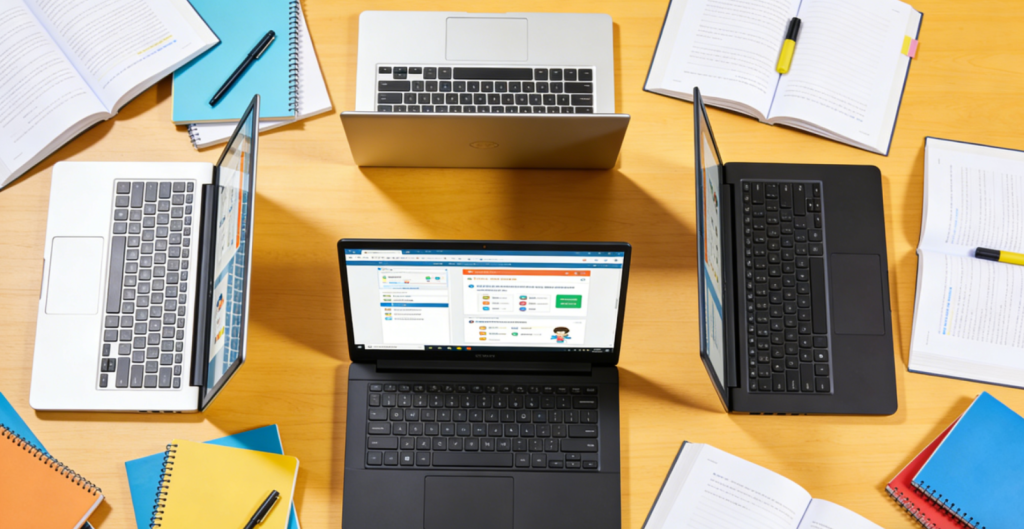
The global budget laptop market for students is witnessing robust growth, valued at
38.7billionin2025andprojectedtoreach52.3 billion by 2032 with a CAGR of 4.5%. This expansion is driven by rising demand for affordable, feature-rich devices tailored to hybrid learning—fueled by remote classes, digital note-taking, and the need for lightweight portability. In 2026, Windows 11-based laptops dominate the student segment with 68% market share, while Chromebooks capture 27% due to their low cost and seamless integration with Google Workspace. Key players including HP, Acer, Lenovo, and Asus account for over 72% of global sales, with a growing focus on accessibility features and all-day battery life. Top trends include 16GB RAM as a standard configuration, 10-hour+ battery endurance, and AI-powered learning tools—with 63% of students prioritizing portability and multitasking performance over raw power.
2026 marks a pivotal year for budget student laptops: Intel’s 14th Gen Celeron/Pentium and AMD’s Ryzen 5 7000U series deliver improved efficiency, NVMe SSDs have fully replaced HDDs as the base storage option, and Windows 11 SE offers enhanced accessibility features for diverse learning needs. Users face distinct tradeoffs: liberal arts students prioritize battery life and portability, while STEM majors seek stronger processors and RAM for coding or light design work. Below, we break down core technologies, top 2026 models, and tailored guidance to help students find the perfect budget laptop under $800.
I. Core Technology: Key Innovations & 2026 Breakthroughs ⚙️
Budget student laptops redefine affordability by combining practical performance with student-centric design, anchored by five defining technologies—processing platforms, memory/storage, display quality, battery efficiency, and accessibility features. Here’s how 2026’s offerings elevate these essentials:
1. Processing Platforms: Efficiency & Multitasking 🚀
2026’s budget laptops leverage low-power processors that balance performance and battery life—ideal for student tasks like web browsing, document editing, and video conferencing. Intel’s 14th Gen Celeron N97 and Pentium N6000 chips deliver 15% faster single-core performance than predecessors, while AMD’s Ryzen 5 7535U (6 cores) excels at multitasking—running 10+ browser tabs, Microsoft 365, and Zoom simultaneously without lag. For STEM students, select models under $800 now include Intel Core i5 1435U or AMD Ryzen 7 7735U processors, enabling light coding in Python, Java, or basic CAD work (e.g., AutoCAD) without overheating. A key innovation is AI-driven power management, which optimizes CPU performance based on tasks—slowing down during note-taking to save battery and boosting during video exports or code compilation.
2. Memory & Storage: Speed & Capacity 📶
16GB DDR4 RAM has become the standard for mid-range budget laptops (under
600),eliminatingfrustrationwhenjugglingmultipleacademictools.Entry−levelmodels(under400) still offer 8GB RAM, but most include upgradeable slots for future expansion—critical as software demands grow. Storage has seen a major upgrade: 256GB NVMe SSDs are now universal, providing 3x faster boot and load times than traditional HDDs (no more waiting for Word or Chrome to open). Mid-tier models (
500−800) often feature 512GB NVMe SSDs, offering ample space for lecture recordings, digital textbooks, and project files. Premium budget laptops like the HP Pavilion Aero 13 even include microSD card slots for additional storage flexibility—perfect for students with large media libraries or who need to store raw project files.
3. Display Quality: Visibility & Eye Comfort 🖥️
2026’s budget student laptops prioritize display usability with 1080p IPS panels as the base standard, replacing lower-resolution TN screens. These displays offer 178° viewing angles—ideal for group study sessions or sharing notes with classmates—and 300 nits of brightness, ensuring visibility in well-lit classrooms or coffee shops. Many models include blue light filters (Windows Night Light or Acer BlueLightShield) to reduce eye strain during late-night study marathons or back-to-back online classes. For art or design students, select laptops under $800 (like the Asus VivoBook 15) feature 100% sRGB color gamut, delivering accurate colors for digital drawing, photo editing (Photoshop), or graphic design work. Touchscreen options are also more accessible, with 2-in-1 convertibles (like the Lenovo ThinkPad Yoga 500w) supporting stylus input for natural note-taking and sketching.
4. Battery Efficiency: All-Day Learning ⚡
Battery life remains a top priority for students, and 2026’s budget laptops deliver significant improvements. Most 13-14 inch models with low-power processors offer 10-12 hours of web browsing or 8-10 hours of video playback on a single charge—enough for a full day of classes, study sessions, and commuting without hunting for an outlet. Larger 15-inch laptops typically provide 8-10 hours, still sufficient for most student schedules. Fast-charging technology is now common, with many models supporting 30-minute charging for 50% battery—ideal for students rushing between lectures or forgetting to plug in overnight. Innovations like AMD’s SmartShift and Intel’s Evo Lite certification optimize power distribution between CPU and GPU, extending battery life during light tasks while maintaining performance for intensive work like coding or video editing.
5. Accessibility & Student-Centric Features 🧠
2026’s budget laptops emphasize accessibility, with Windows 11 Pro Education and Windows 11 SE leading the way—offering 27% more OS-level accessibility features than Chrome OS. These include built-in screen readers, speech-to-text transcription (perfect for note-taking during lectures), and customizable keyboard shortcuts to support students with diverse learning needs. Many models feature HD webcams with noise-canceling microphones, critical for clear video calls, online presentations, and group projects. Durability is another focus: laptops like the Acer Aspire 3 include reinforced hinges and spill-resistant keyboards, withstanding the rigors of student life (backpacks, coffee spills, and daily transport). Portability is optimized with slim designs (18-20mm thickness) and lightweight builds (2.2-2.8 pounds), making them easy to carry between classes, libraries, and dorms.
II. Top 2026 Budget Laptops: Best Picks Under $800 for Students 🏆
A. Best All-Rounders for Everyday Learning 📚
1. HP Pavilion Aero 13 (Best Value for Money) 🌟
- Specs: AMD Ryzen 5 7535U (6C/12T), 16GB DDR4 RAM, 512GB NVMe SSD, 13.3-inch 1080p IPS display (300 nits), 2.1 pounds, Windows 11 Home.
- Key Features: 12-hour battery life, fast charging (50% in 30 mins), microSD card slot, backlit keyboard, Wi-Fi 6.
- Price: $649.99.
- Pros: Ultra-lightweight (easily fits in backpacks or tote bags), powerful for multitasking (runs Word, Chrome, and Zoom simultaneously), bright display for outdoor/well-lit spaces, durable aluminum chassis that resists scratches.
- Cons: No touchscreen option, limited port selection (2 USB-C, 1 USB-A)—a USB-C hub may be needed for extra peripherals.
- Best For: All students, especially commuters and those balancing in-person/remote classes who need a portable, reliable device for note-taking, assignments, and group projects.
2. Lenovo IdeaPad 5 14 (Best for Multitasking) 💻
- Specs: Intel Core i5 1435U (10C/12T), 16GB DDR4 RAM, 512GB NVMe SSD, 14-inch 1080p IPS touchscreen, 2.5 pounds, Windows 11 Home.
- Key Features: 10-hour battery life, stylus support (compatible with Lenovo Precision Pen 2), backlit keyboard, fingerprint reader, HDMI 2.1 port.
- Price: $599.99.
- Pros: Excellent multitasking performance (handles 15+ browser tabs + Microsoft 365), touchscreen + stylus for natural note-taking, versatile port selection (no hub needed for projectors/externals), affordable for the specs.
- Cons: Slightly heavier than the HP Pavilion Aero, average speakers (fine for Zoom but not for media).
- Best For: Students juggling multiple apps (e.g., research, writing, video calls) and those who prefer touch-based note-taking or annotating PDFs.
B. Best Chromebooks for Lightweight Learning 🚀
1. Acer Chromebook 311 (Best Budget Chromebook) 💰
- Specs: MediaTek Kompanio 500 (4C/4T), 8GB RAM, 64GB eMMC storage, 11.6-inch 1080p IPS display, 2.2 pounds, Chrome OS.
- Key Features: 12-hour battery life, spill-resistant keyboard, HD webcam with privacy shutter, Wi-Fi 5.
- Price: $239.99.
- Pros: Extremely affordable (ideal for parents or students on a tight budget), lightweight and durable for daily use, long battery life for full school days, seamless integration with Google Classroom, Zoom, and Google Workspace (Docs/Sheets/Slides).
- Cons: Limited storage (expandable via microSD), not suitable for offline work or heavy software (e.g., Photoshop, MATLAB).
- Best For: Elementary/middle school students, or college students needing a secondary laptop for classes, web-based tasks, and note-taking.
2. Google Pixelbook Go 2 (Best Premium Chromebook) ✨
- Specs: Intel Core i3 1410U (6C/8T), 16GB RAM, 128GB eMMC storage, 13.3-inch 1080p touchscreen, 2.3 pounds, Chrome OS.
- Key Features: 14-hour battery life, backlit “Hush” keyboard (ultra-quiet for library study), fingerprint reader, fast charging, 2x USB-C ports.
- Price: $499.99.
- Pros: Exceptionally quiet keyboard (won’t disturb classmates), long battery life for all-day learning, premium build quality (feels more expensive than it is), smooth Chrome OS experience with fast boot times.
- Cons: Limited storage (no microSD slot—rely on Google Drive for extra space), higher price than basic Chromebooks.
- Best For: High school/college students who rely on Google Workspace and prefer a quiet, portable device for extended study sessions or commuting.
C. Best 2-in-1 Convertibles for Note-Taking 📝
1. Lenovo ThinkPad Yoga 500w (Best 2-in-1 for Productivity) 🖋️
- Specs: AMD Ryzen 5 7535U (6C/12T), 16GB RAM, 512GB NVMe SSD, 14-inch 1080p IPS touchscreen, 2.6 pounds, Windows 11 Pro Education.
- Key Features: 9-hour battery life, included stylus, military-grade durability (MIL-STD 810H certified), backlit keyboard, HDMI + USB-C ports.
- Price: $668.99.
- Pros: Durable design (withstands drops, spills, and rough handling), excellent stylus for precise note-taking/sketching, Windows 11 Pro Education accessibility features (screen readers, speech-to-text), business-grade keyboard for comfortable typing.
- Cons: Slightly heavier than non-convertibles, shorter battery life than traditional laptops (still enough for a school day).
- Best For: STEM students, art/design majors, and those who need a flexible device for both typing (assignments) and drawing (sketches, diagrams).
2. Asus VivoBook Flip 14 (Best Value 2-in-1) 🎨
- Specs: Intel Pentium N6000 (4C/4T), 8GB RAM, 256GB NVMe SSD, 14-inch 1080p IPS touchscreen, 2.4 pounds, Windows 11 Home.
- Key Features: 8-hour battery life, stylus support (included), 180° hinge (lays flat for group work/presentations), microSD card slot.
- Price: $399.99.
- Pros: Affordable 2-in-1 design (great for budget-conscious students), flat-lay functionality for group projects or sharing notes, NVMe SSD for fast load times, lightweight for commuting.
- Cons: Basic processor (not for heavy multitasking or design software), 8GB RAM (not upgradeable—sufficient for note-taking but tight for 10+ apps).
- Best For: Students on a tight budget who want touch/stylus functionality for note-taking, annotating PDFs, and casual creative work.
D. Best for STEM & Coding Students 👨💻
1. Dell Inspiron 14 3000 (Best for Coding) 🖥️
- Specs: AMD Ryzen 7 7735U (8C/16T), 16GB DDR4 RAM, 512GB NVMe SSD, 14-inch 1080p IPS display, 2.6 pounds, Windows 11 Home.
- Key Features: 9-hour battery life, backlit keyboard, HDMI 2.1, USB-A + 2x USB-C ports, dedicated cooling system.
- Price: $749.99.
- Pros: Powerful 8-core processor for coding (Python, Java, C++), data analysis (Excel, Python Pandas), and light engineering work (AutoCAD), upgradeable RAM (up to 32GB) for future-proofing, robust cooling for extended coding sessions.
- Cons: Near the $800 limit, average battery life for the specs (tradeoff for processing power).
- Best For: College students in computer science, engineering, or data analytics who need extra processing power for programming and academic software.
2. Acer Swift 3 (Best for Light Design Work) 🎮
- Specs: Intel Core i5 1435U (10C/12T), 16GB RAM, 512GB NVMe SSD, 14-inch 1080p IPS display (100% sRGB), 2.4 pounds, Windows 11 Home.
- Key Features: 10-hour battery life, backlit keyboard, fingerprint reader, Wi-Fi 6E, Thunderbolt 4 port.
- Price: $699.99.
- Pros: Accurate color display (100% sRGB) for graphic design, architecture, or digital media work (Photoshop, SketchUp), Thunderbolt 4 for external monitors or fast data transfer, fast Wi-Fi 6E for smooth online classes, lightweight for a performance laptop.
- Cons: No touchscreen, average webcam quality (fine for Zoom but not for professional presentations).
- Best For: Students in graphic design, architecture, or digital media who need color accuracy and enough power for creative software.
III. Scenario-Based Recommendations 🎭
1. College Students (All Majors, Daily Commute) 🎓
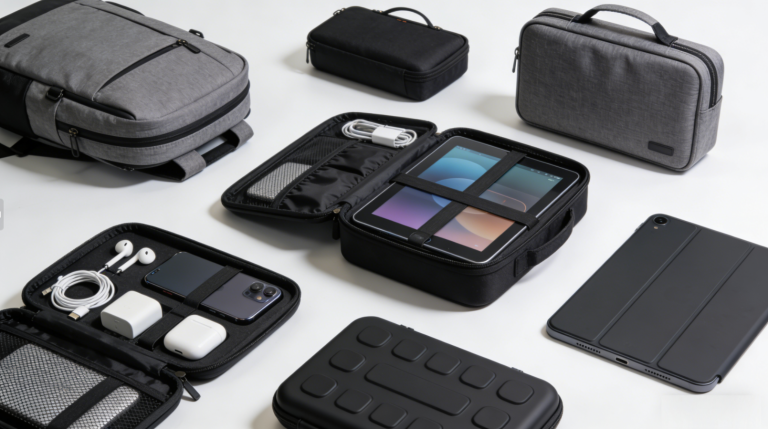
- Top Pick: HP Pavilion Aero 13 + Laptop Sleeve + Portable USB-C Charger
- Why: The ultra-lightweight design (2.1 pounds) is easy to carry between classes, dorms, and libraries—no more strained shoulders. 12-hour battery life lasts all day without charging, and the 512GB SSD stores digital textbooks, lecture recordings, and assignments. The bright display works in classrooms and outdoor cafes, while the portable charger ensures emergency top-ups for late-night study sessions. The laptop sleeve protects against scratches during transport.
2. STEM Students (Coding/Engineering) 👨💻
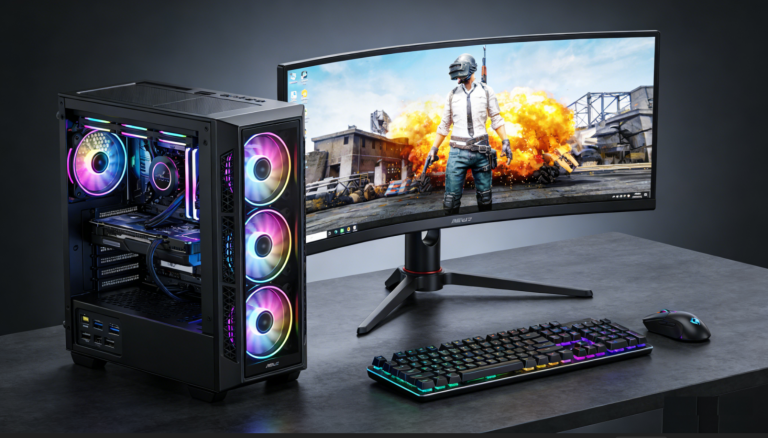
- Top Pick: Dell Inspiron 14 3000 + External Monitor + Mechanical Keyboard
- Why: The 8-core Ryzen 7 processor handles coding, data analysis, and engineering software (AutoCAD, MATLAB) smoothly—no lag when running multiple development tools. 16GB RAM supports IDEs (Visual Studio Code, PyCharm) + browser tabs + reference materials simultaneously, and the dedicated cooling system prevents overheating during 4+ hour coding marathons. The external monitor and mechanical keyboard create a desktop-like setup for home study, while the laptop’s portability works for on-campus labs and classes.
3. Elementary/Middle School Students (Web-Based Learning) 🖍️
- Top Pick: Acer Chromebook 311 + Stylus + MicroSD Card (128GB)
- Why: The affordable price point is easy on parents’ budgets, and the durable, spill-resistant design withstands kid-friendly use (backpacks, snack time, and classroom activities). Chrome OS integrates seamlessly with Google Classroom and educational apps (Khan Academy, Prodigy), while the 12-hour battery life lasts a full school day. The microSD card expands storage for educational videos, games, and photos, and the stylus supports creative learning activities (drawing, handwriting practice, and interactive worksheets).
4. Art/Design Students (Digital Creativity) 🎨
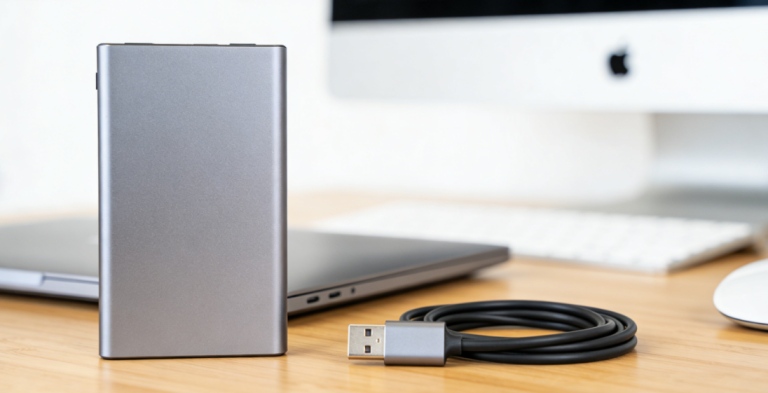
- Top Pick: Lenovo ThinkPad Yoga 500w + Wacom Intuos Small + Portable SSD
- Why: The included stylus and touchscreen are perfect for digital sketching, note-taking in design classes, and annotating creative briefs. Windows 11 Pro Education offers accessibility features (e.g., color filters) for creative workflows, and the military-grade durability protects the laptop during transport to studios or classrooms. The Wacom tablet enhances precision for detailed work (illustrations, logos), while the portable SSD stores large design files (Illustrator, Blender projects) without clogging the laptop’s storage.
5. Budget-Conscious Students (Secondary Laptop) 💰
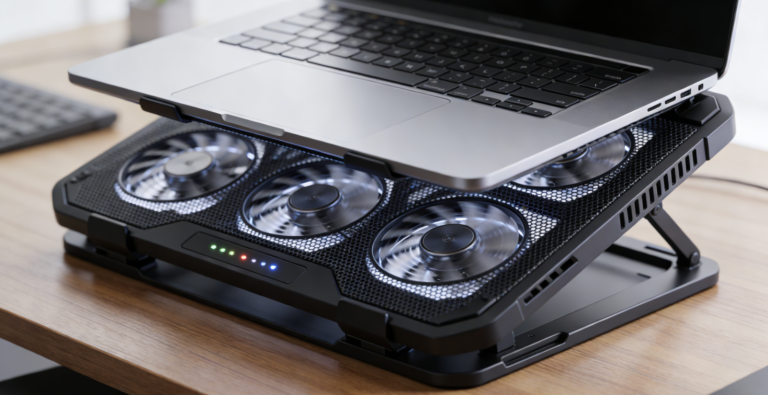
- Top Pick: Asus VivoBook Flip 14 + USB-C Hub + Laptop Stand
- Why: The affordable 2-in-1 design serves as both a note-taking device and a secondary laptop for classes—no need to splurge on a premium model. The 180° hinge is great for group study sessions (share notes with classmates), and the NVMe SSD ensures fast load times for web apps and documents. The USB-C hub adds extra ports (HDMI, USB-A) for connecting projectors or external drives, while the laptop stand improves ergonomics during long study marathons (reduces neck strain from hunching over the screen).
IV. How to Choose: Key Factors for Student Laptops 🛒
1. Define Your Primary Use Case
- Everyday Learning: Prioritize portability (≤2.5 pounds), 10-hour+ battery life, 16GB RAM (for multitasking), and 256GB+ NVMe SSD (for fast load times).
- STEM/Coding: Seek a powerful processor (Intel Core i5/Ryzen 5 or higher), 16GB+ RAM (supports coding tools/software), and dedicated cooling (prevents overheating during long sessions).
- Lightweight/Web-Based Tasks: Opt for a Chromebook with 8GB RAM, 12-hour+ battery life, and durable design (ideal for web-based learning tools).
- Creative Work (Art/Design): Choose a 2-in-1 with touchscreen/stylus support, 100% sRGB display (color accuracy), and at least 16GB RAM (handles design software).
2. Choose the Right Operating System
- Windows 11: Best for versatility—supports all academic software (Microsoft Office, MATLAB, Photoshop) and offers robust accessibility features. Ideal for high school/college students and STEM majors.
- Chrome OS: Perfect for web-based learning (Google Classroom, Zoom) and budget-conscious users. Best for elementary/middle school students or those who don’t need offline software.
- Windows 11 SE: Optimized for education with simplified management and enhanced accessibility—great for school-provided laptops or students with diverse learning needs.
3. Set a Realistic Budget
- 200−400: Entry-level (Acer Chromebook 311, Asus VivoBook Flip 14): 8GB RAM, 64GB-256GB storage, basic processors. Suitable for light tasks and younger students.
- 400−600: Mid-range (Lenovo IdeaPad 5, Google Pixelbook Go 2): 16GB RAM, 256GB-512GB NVMe SSD, better processors. Ideal for most high school/college students.
- 600−800: Premium Budget (HP Pavilion Aero 13, Dell Inspiron 14 3000): 16GB RAM, 512GB NVMe SSD, powerful processors (i5/Ryzen 5+). Best for STEM students and those needing extra performance.
4. Must-Have Features
- All Students: 1080p IPS display (300 nits+ for visibility), backlit keyboard (for late-night study), HD webcam with noise cancellation (for online classes), and Wi-Fi 5/6 (stable internet).
- Commuters: ≤2.5 pounds weight, 10-hour+ battery life, and durable build (reinforced hinges, scratch-resistant chassis).
- Note-Takers: Touchscreen + stylus support, or a 2-in-1 design for flexible use (typing/drawing).
- STEM Students: At least 16GB RAM, 512GB NVMe SSD, and a multi-core processor (6C+ for coding/software).
5. Avoid Common Mistakes
- Sacrificing RAM for Storage: 8GB RAM will feel limiting by sophomore year—prioritize 16GB if possible (or upgradeable slots) for multitasking.
- Choosing HDD Over SSD: HDDs are slow and less durable—opt for a 256GB NVMe SSD minimum (faster boot/load times, better for daily use).
- Ignoring Portability: A 3-pound+ laptop becomes a burden for daily commutes—aim for ≤2.5 pounds for college students.
- Overlooking Battery Life: A laptop with require frequent charging—prioritize 10-hour+ for all-day classes.
- Forgetting Accessories: Budget for a laptop sleeve (protection), portable charger (emergency power), and USB-C hub (extra ports) to enhance usability.
Conclusion
2026’s budget laptops under $800 have evolved to meet the diverse needs of students, blending performance, portability, and affordability. The HP Pavilion Aero 13 stands out as the best all-rounder for most students, offering unbeatable value, lightweight design, and all-day battery life. The Acer Chromebook 311 is perfect for budget-conscious users and younger students, while the Dell Inspiron 14 3000 caters to STEM majors needing extra processing power.
The key to choosing wisely lies in aligning your major, lifestyle, and budget with the laptop’s features: commuters need portability and battery life; STEM students require powerful processors and RAM; and creative majors benefit from touchscreen/stylus support. As technology advances, budget laptops continue to close the gap with premium models—proving that students don’t need to overspend to get a reliable device for learning.
Whether you’re attending in-person classes, studying remotely, or balancing a mix of both, the best budget laptop under $800 is the one that adapts to your workflow. By focusing on your use case, prioritizing key features (RAM, storage, battery), and avoiding common pitfalls, you’ll find a laptop that supports your academic journey without breaking the bank.
About the Author